 Kode
Discord 2FA with an authenticator app
In the Discord app, tap your avatar at the bottom right, then the gear icon › Account › Enable Authenticator App. Copy the key into your authenticator app (or scan the QR code on a computer), type in the six-digit code it shows, and download the backup codes Discord gives you. Lose your phone without them, and Discord support can't remove 2FA for you.
Step by step
- 1Settings › AccountAvatar, then the gear icon. Tap Enable Authenticator App.
- 2Add the keyScan the QR code on a computer, or copy the key on the phone.
- 3Type the codeSix digits from the app, then Activate.
- 4Save backup codesDownload discord_backup_codes.txt and keep it off the phone.
- On iPhone: tap your avatar at the bottom right, then the gear icon at the top right. On a computer: click the gear icon next to your username to open User Settings › My Account.
- Tap Account and choose Enable Authenticator App. On a computer the button sits under Password and Authentication.
- Discord shows a QR code and a secret key. On a computer, scan the QR code with the authenticator app on your phone. On the phone itself, copy the key and paste it into the app.
- Type the six-digit code from the app into Discord and tap Activate.
- Download the backup codes right away. Discord saves them as discord_backup_codes.txt.
Once the app is set up, you can also add a phone number for text-message codes. Discord's own help says text messages are better than nothing, “but not by a lot.”
Where the codes come from
The key you added stays in the authenticator app. Every 30 seconds the app makes a new six-digit code from the key and the current time. Nothing is sent to your phone, so it works on a plane or in a basement with no signal. And someone who has only your password still can't get in.
Your backup codes
- •••• ••••
- •••• ••••
- •••• ••••
- •••• ••••
- •••• ••••
- •••• ••••
- Each code is eight digits and works once.
- View Backup Codes in My Account shows them again while you're signed in.
- Without them, Discord support can't remove 2FA or issue new codes.
Lost the file? While you're still signed in, go to User Settings › My Account › View Backup Codes. Discord asks for your password, then shows the codes and which ones you've used. Keep them somewhere other than the phone: a password manager or a printout in a drawer both work. Discord's help · Backup codes at other services
Locked out
- Sign in with your email and password.
- When Discord asks for the code, choose Verify with something else.
- Pick Use a backup code and type one of the eight-digit codes. If you set up text messages, you can choose Use a code sent to your phone instead.
If Use a backup code isn't offered, you've used them all, and Discord support can't remove 2FA or issue new codes. Once you're in, remove the authenticator app under User Settings › My Account and set it up again. Discord's help on getting back in
If Discord rejects a code the app is showing, the phone's clock is almost always to blame: how to fix that.
New phone
The codes are made from the key stored in your authenticator app, so the key has to move to the new phone. If your authenticator app syncs (iCloud Keychain, a Google or Microsoft account), there's nothing to do. If not, do this while the old phone still works: User Settings › My Account › Remove Authenticator App, then Enable Authenticator App again and scan with the new phone. Google Authenticator on a new phone · Microsoft Authenticator on a new phone
Discord also supports passkeys and security keys (User Settings › Account › Security Keys) and recommends them. If your phone or computer supports them, add one alongside the app.
Kode
 12
 34
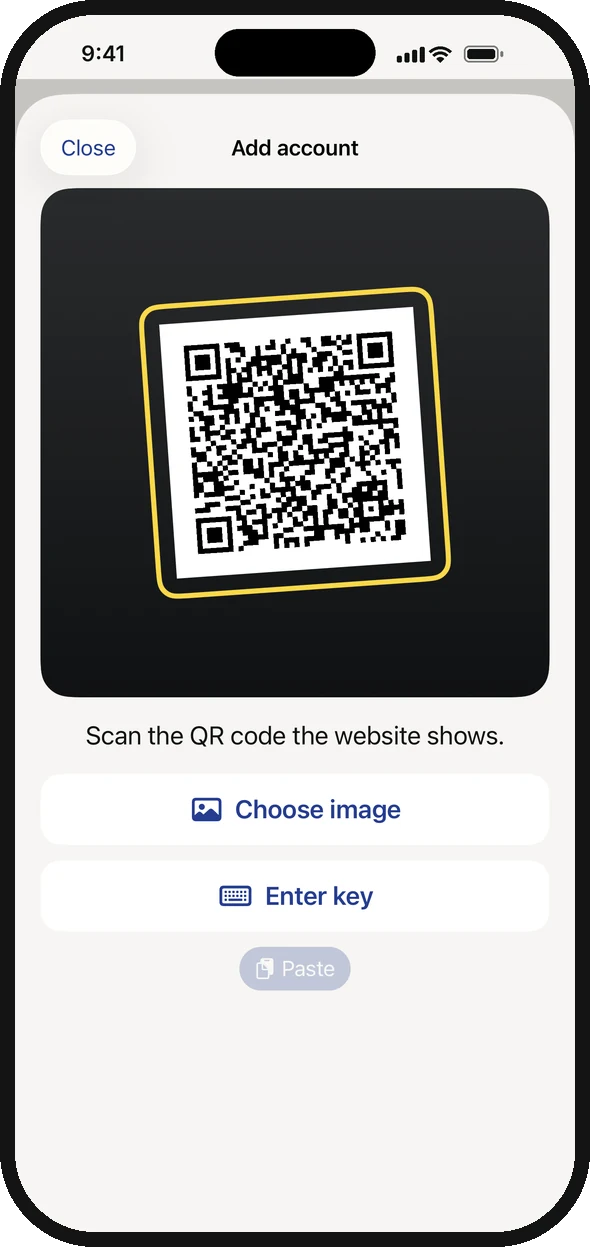
- 1Scan the QR code Discord shows on your computer.
- 2On the iPhone itself: tap Enter key and paste Discord's key.
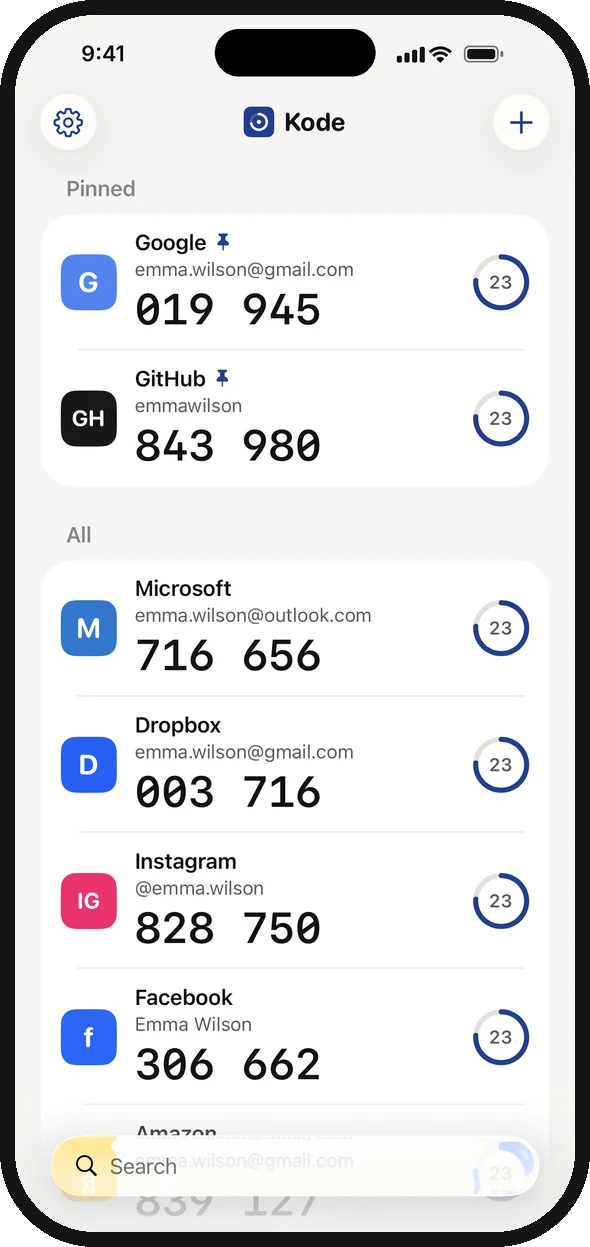
- 3The six-digit code you type into Discord.
- 4The ring shows how many seconds the code has left.
I made Kode, an authenticator app for iPhone. Kode costs $1.99, once. There's no account and no ads. Scan Discord's QR code or paste the key. The key is kept in the iPhone's Keychain, and iCloud Keychain carries it over to your next iPhone. The same steps work for Fortnite and your Epic Games account.
Download on the App Store