 Kode
New: Kode is on the App Store
Login codes, no subscription.
No account, no ads. Your codes stay in your own Keychain.
$1.99 once · No subscription · No account · No network calls
Download on the App StoreWhat Kode looks like
A code app should be boring and trustworthy.
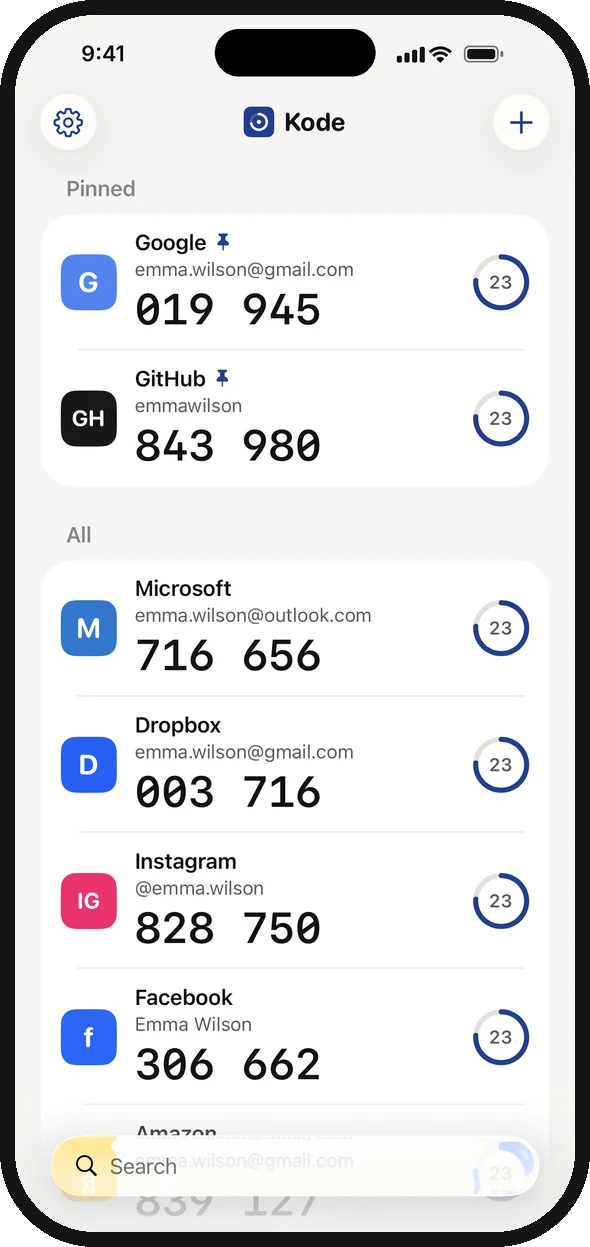
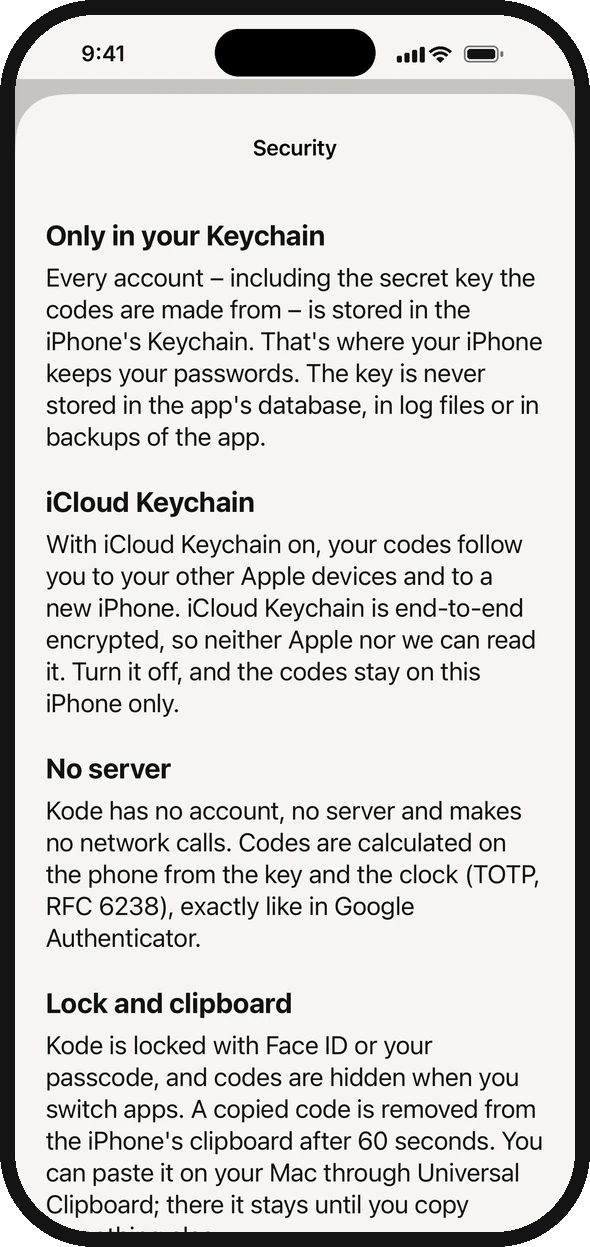
Some authenticator apps charge a subscription to show six digits. Kode makes the same codes as Google Authenticator – on your phone, with no server – and is open about how your keys are stored.
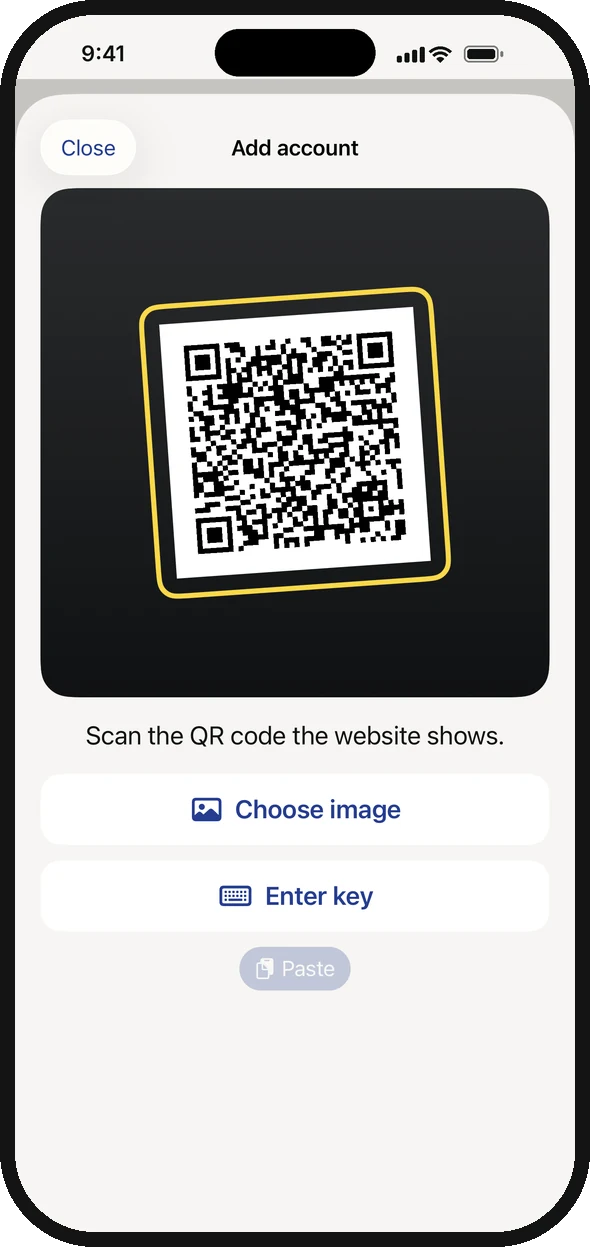
Scan the QR code the website shows, or pick a screenshot of it.
Codes are hidden when you switch apps, and a copied code is cleared after 60 seconds.
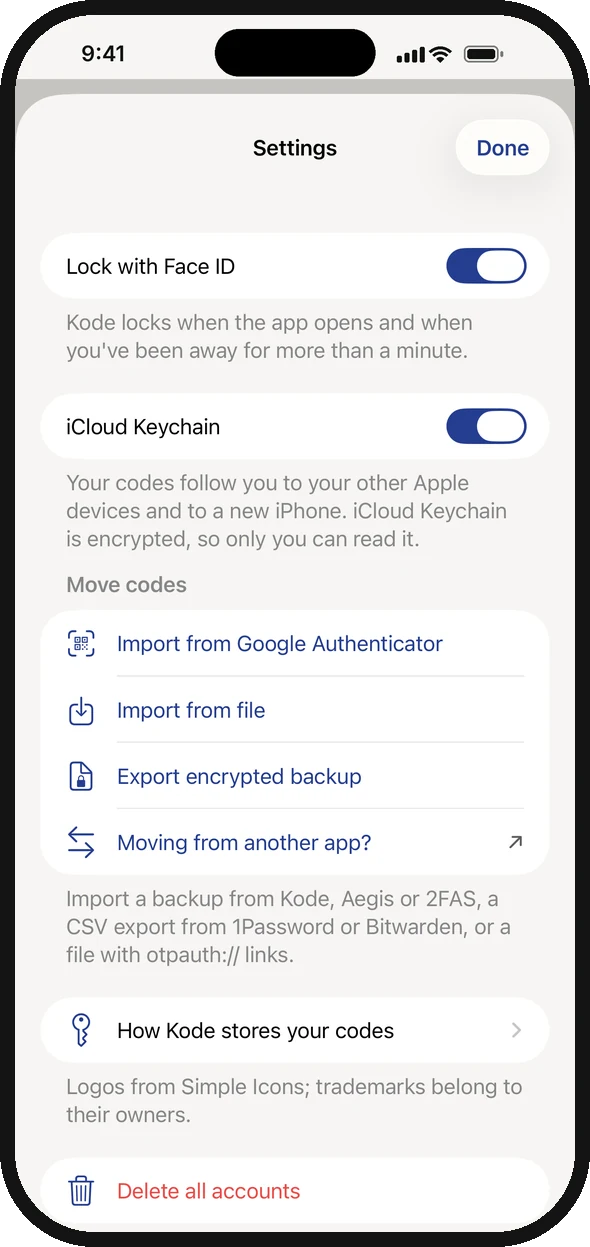
iCloud Keychain takes your codes to a new iPhone. You can turn it off.
Import every account from Google Authenticator in one go.
Your login codes, without another account.
Kode costs $1.99, once. No account, no ads, no tracking, and your codes stay in your own keychain.
That's all it ever costs. Every feature and every future update is included, and so are the extra app icons. No subscription, nothing to unlock later, and if something's wrong, you write straight to Peter, who made it.
Questions
Which services does it work with?
Any service that uses an “authenticator app” with 6- or 8-digit codes (TOTP): Google, Microsoft, GitHub, Facebook, Instagram, Dropbox, Amazon, Discord and many more.
What if I lose my iPhone?
With iCloud Keychain on, your codes come back on your new iPhone when you sign in with your Apple Account. You can also keep an encrypted backup file.
Can you see my codes?
No. Kode has no server and makes no network calls. Your keys live only in your Keychain.
How do I delete everything?
Settings › Delete all accounts. Do it before deleting the app – otherwise iOS may keep the keys in the Keychain.
How do I move from Google Authenticator?
In Google Authenticator: ⋯ › Transfer accounts › Export accounts. In Kode: Settings › Import from Google Authenticator, then scan the QR codes.
Can I move from Microsoft Authenticator or Authy?
Not automatically – those apps can't export your codes. You move one account at a time. See “Move your codes to Kode” under Support.
What does it cost?
$1.99, once. Every feature and every update is included, with no ads and no subscription. If you downloaded Kode while it was free, it stays yours.
Ready to try it?
Get Kode on the App Store for iPhone with iOS 17 or later. No account, no ads and no subscription – just your login codes.
Download on the App Store