 Kode
Fortnite 2FA: how to turn it on
2FA for Fortnite is a setting on your Epic Games account. Sign in at epicgames.com, open Password and security, and under Two-Factor Authentication click Set up next to the method you want. Epic requires 2FA before you can send gifts in Fortnite or take part in competitive events. It's also required to claim some free games on the Epic Games Store.
Which method to pick
- Epic AuthenticatorIn the Epic Games app: tap the matching number.Epic's own appNo code to type
- Authenticator appA six-digit code from any authenticator app.Works offlineBackup codes
- EmailEpic emails you a code when it asks for one.Needs your inbox
- Text messageEpic texts you a code.Not every region
Epic offers four methods. Epic Authenticator is built into the Epic Games app and the Epic Games Store app: you approve a sign-in by tapping the matching number. An authenticator app gives you six-digit codes and backup codes. Email and text messages work too. Texts don't reach every region, though, and anyone who gets into your email gets your codes as well. If you turn on more than one, click the three dots (…) next to the one you want Epic to ask for first and choose Make my primary 2FA method.
Set it up with an authenticator app
- 1Password and securitySign in at epicgames.com and open this page.
- 2Scan the QR codeClick Set up next to the authenticator app, then scan.
- 3Type the codeSix digits from the app. Epic emails you a confirmation.
- 4Get Backup CodesWrite them down or store them off the phone.
- Make sure the email address on your Epic Games account is verified.
- Go to epicgames.com/account/password (Account › Password and security) and sign in.
- Under Two-Factor Authentication, click Set up next to the authenticator app.
- Scan the QR code with the authenticator app on your phone.
- Enter the six-digit code from the app on Epic's page. Epic confirms the method is on and sends you an email.
- In the authenticator app section, click Get Backup Codes and keep the codes somewhere other than your phone.
Playing on PlayStation, Xbox or Switch? It's the same Epic account, so set 2FA up in a browser and it covers Fortnite on every console linked to that account.
When Fortnite asks for a code
You won't need a code every time you play. Epic asks for one when you first sign in after turning 2FA on, when you sign in on a new device, when you haven't signed in for 30 days, and after you clear your browser's cookies.
Backup codes
- •••• ••••
- •••• ••••
- •••• ••••
- •••• ••••
- •••• ••••
- •••• ••••
- Each code is eight digits long.
- Lost the phone? Choose Try another way and enter one.
- Get Backup Codes in the authenticator app section makes a new list.
Epic gives you backup codes when you first turn on the authenticator app, and you can get a fresh set later with Get Backup Codes. Epic's 2FA help · Backup codes at other services
Locked out
- When Epic asks for the code, click Try another way.
- Choose Email Verification to get a code by email, or choose Enter your Two-Factor verification backup codes and type in one of your eight-digit codes.
- Once you're in, go to Password and security, remove the old method and set it up again.
If neither works, start Epic's account recovery from the sign-in page. Epic's help for locked-out accounts
If Epic rejects a code that looks right, the phone's clock is nearly always to blame: how to fix that.
Kode
 12
 34
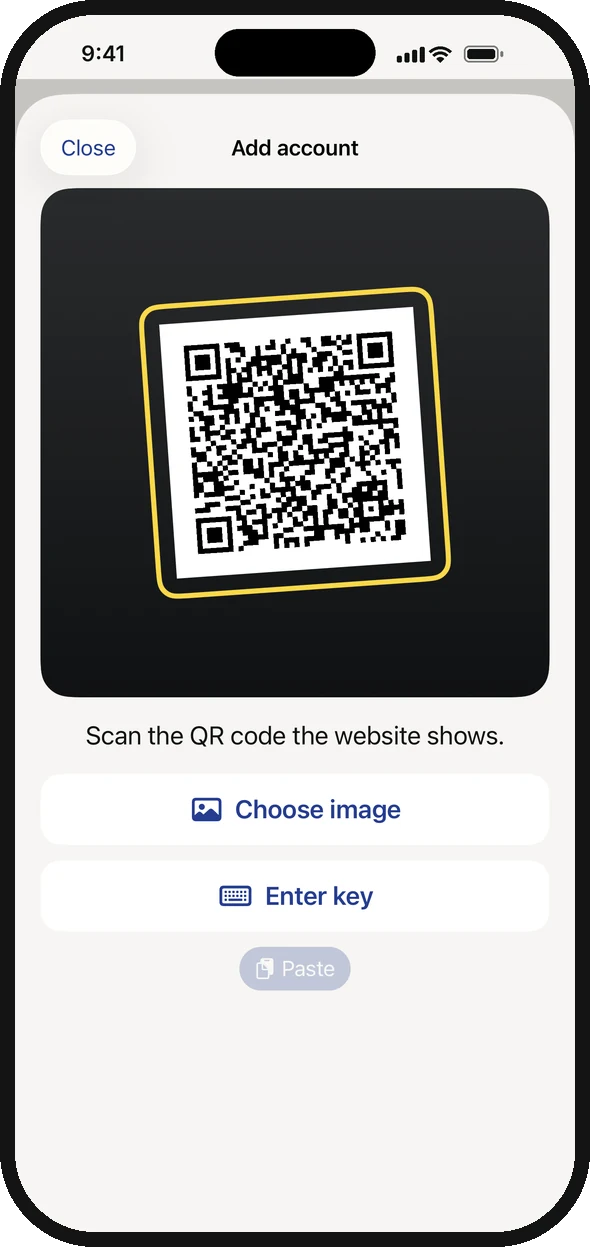
- 1Scan the QR code on Epic's Password and security page.
- 2Can't scan? Tap Enter key and type in the key Epic shows.
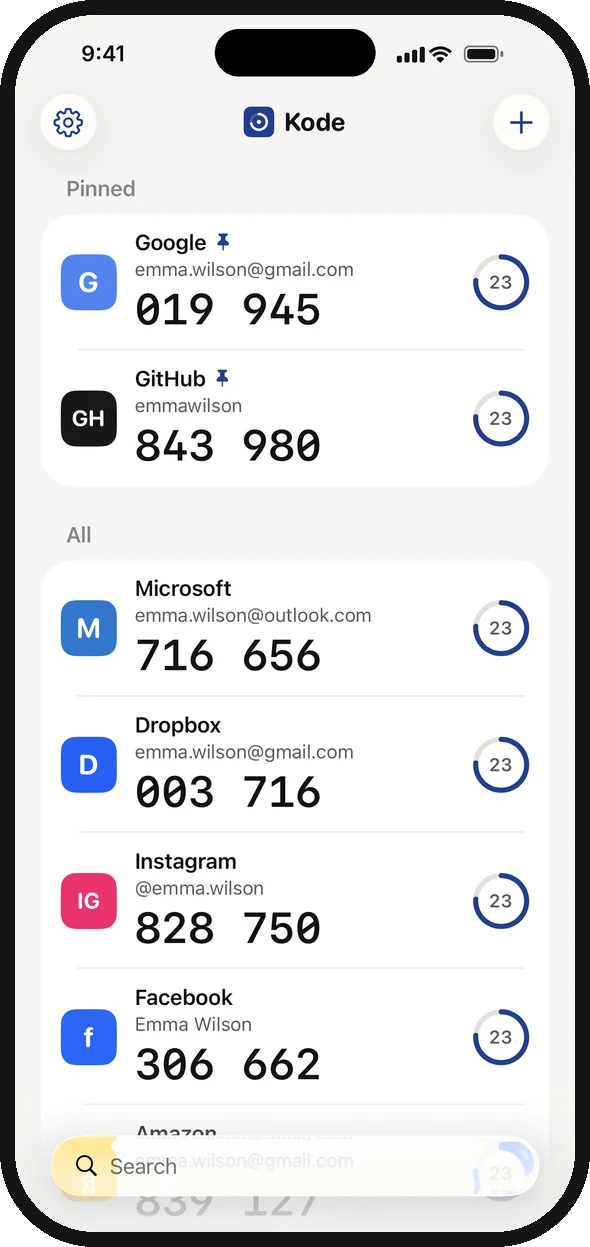
- 3The six-digit code you type on Epic's page.
- 4The ring shows how many seconds the code has left.
I made Kode, an authenticator app for iPhone. Kode costs $1.99, once. There's no account and no ads. Scan Epic's QR code and the six-digit code appears straight away. The key stays in the iPhone's Keychain, and iCloud Keychain brings it to your next iPhone. Discord 2FA works the same way.
Download on the App Store